Elchi is the ambassador between your users and your services: it decides where every request goes, and what never gets in. Three minutes on what it does, from live traffic changes to Shield, API Discovery and HA.
Elchi Core: every Envoy resource, one control plane.
The foundation of the Elchi platform: a visual control plane for your entire Envoy fleet — full xDS, several versions side by side, draft/save/publish with an audit log, and an edge agent that runs Envoy on your hosts.
ELCHI CORE
Foundation · Included in every deploymentElchi Core is the base of every deployment. All other Elchi products plug into it as add-ons.
- Full xDS Protocol
- Multi-Version Envoy
- Edge Agent
- RBAC & Multi-Tenancy
What is Elchi Core?
Elchi Core is a control plane for Envoy proxy fleets with a web UI in front of it. You edit listeners, routes, virtual hosts, clusters, endpoints, secrets, filters and bootstrap in forms generated from the protobuf schema of the Envoy version you run, and each change is validated in the editor and again on the server before it is stored. Publishing builds a new xDS snapshot, and the control plane streams it to the subscribed Envoys over ADS, so the change takes effect without a restart. On each edge host a small agent, elchi-client, installs Envoy, runs every deployed listener as its own systemd service, and carries out the upgrades and network changes the controller sends it. Core is part of every Elchi deployment; the add-ons API Security, API Discovery and GSLB attach to it. Without a license, the free tier runs Core with one managed client.
What Elchi Core manages
Complete Envoy resource management
Listeners, routes, virtual hosts, clusters, endpoints, TLS secrets, filters, extensions, and bootstrap — UI generated from Envoy protobufs with type-checked validation.
Full xDS protocol support
ADS, CDS, EDS, LDS, RDS and VHDS, with delta xDS for incremental updates.
Multi-version fleet
Run several Envoy versions side by side with per-version control-planes. Move a listener and its dependencies to a newer version with the listener upgrade.
Save & publish workflow
Draft changes, validate twice (in the editor and on the server), publish them together, and trace every change in the audit log.
Edge agent (elchi-client)
Installs and supervises Envoy as systemd services, upgrades with Envoy hot restart, and manages BGP/FRR routing, netplan networking and log shipping.
Edge HA pairs
Two Elchi OS appliances share VIPs active/passive: the standby runs the same Envoys warm and takes over in about two seconds, a planned failover in milliseconds. Works on plain L2 with gratuitous ARP; BGP is optional, with BFD for a fast failover over BGP.
Dependency graph & route map
Interactive views of resource relationships and route-to-cluster paths for troubleshooting.
Scenarios, templates & snippets
Guided multi-resource wizards and a reusable config library for API gateways, load balancers, and mesh setups.
Multi-project & RBAC
Project-based isolation with 4-tier roles (Owner, Admin, Editor, Viewer), LDAP/Active Directory, 2FA, and an audit trail of every change.
Observability built in
Metrics dashboards, live service logs, Grafana integration, and a background job engine that shows the phase and logs of long-running operations.
Live traffic view
Watch a listener as it runs: sampled requests from the access log flow through connection managers, domains, routes, clusters and endpoints, with rates, p99 and 5xx origin from metrics every 5 seconds.
Problems at a glance
One report of everything that needs a look, worst first: configuration a proxy rejected, failed or stuck jobs, offline clients, ACME and GSLB trouble, broken references and expiring certificates.
Configuration reports
Traffic map, domains, certificates, security per filter chain, unused resources, fleet and changes — every name links to its resource, every report exports to CSV or JSON.
Also included in Core
- ACME certificates (Let's Encrypt & Google Trust, DNS-01)
- Kubernetes endpoint discovery
- AI-assisted config & log analysis
- Threat intelligence & GeoIP enrichment
- Registry HA & leader election
- Backup, restore & maintenance tooling
- Per-client networking & BGP management
- OpenStack cloud integration
- Form tools: regex tester, certificate inspector, key generators
IN THE PRODUCT
Elchi Core in the UI
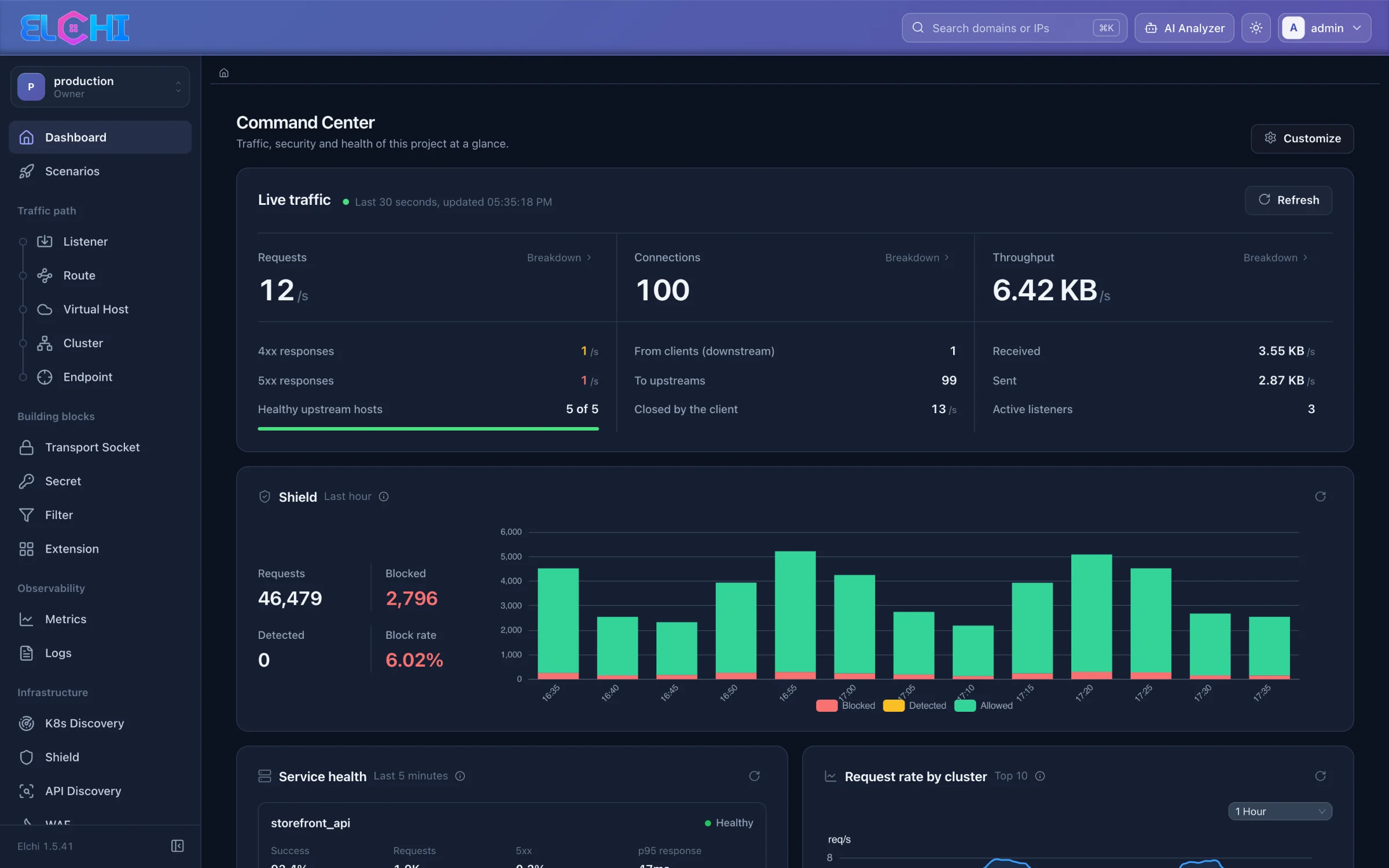
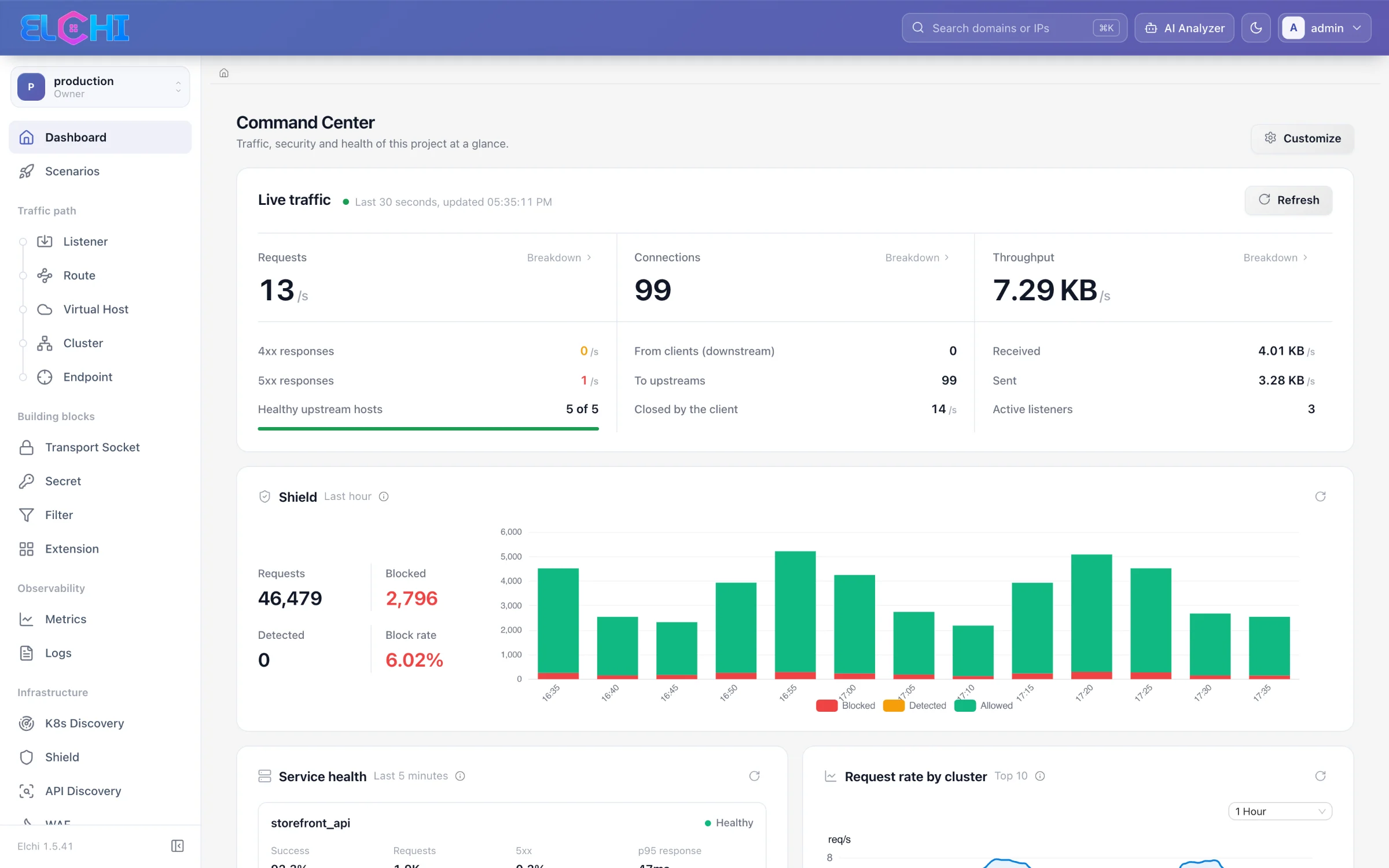
How does Elchi Core reach the proxies?
The backend is three processes. The Controller serves the REST API and the UI, stores resources in MongoDB, and talks to the edge agents over gRPC. The Control-Plane serves xDS (ADS) to the Envoys. You run one control-plane variant per Envoy version, and the Registry sends each proxy to the variant that matches the version it reports, so a proxy only ever receives configuration built for its own version.
When you publish, the controller rebuilds the snapshot and the control plane pushes it. The Snapshot Dump view shows the exact payload a connected node was served, which is the quickest way to confirm that a publish landed.
Does it run Envoy on VMs and bare metal, without Kubernetes?
Yes. Envoy runs on Linux hosts managed by elchi-client (Ubuntu 24.04, amd64). The agent registers with the controller, downloads the Envoy versions you choose, and runs each deployed listener as its own Envoy process under systemd. A listener upgrade to a newer Envoy version uses Envoy’s hot restart; in Elchi’s end-to-end test suite, an upgrade under a steady 20 requests per second dropped 0 requests.
The control plane installs on Kubernetes with Helm, on Docker Swarm, or as systemd services on one, two, or three or more Linux VMs with no Kubernetes and no Docker. For two-box redundancy at the edge, Elchi OS appliances form active/passive pairs that share VIPs.
Should we build our own control plane on go-control-plane instead?
go-control-plane is the Envoy project’s Go library for writing an xDS server, and Elchi’s control plane is built on it, using a variant pinned to each Envoy version. The library gives you the xDS protocol and a snapshot cache. The rest is yours to write: storing and versioning resources, validating them before a push, a way for people to edit and review configuration, access control and an audit trail, a separate build for each Envoy release you run, and the agent that installs and upgrades Envoy on hosts.
A custom control plane is a good fit when configuration is generated entirely from another system, such as a service registry, and nobody edits it by hand. Elchi is aimed at teams that operate Envoy configuration directly and want those parts already built.
What happens to traffic when the control plane is unavailable?
The proxies keep serving. Envoy keeps the last configuration it received while its xDS stream is down and resubscribes when the control plane is back; what stops is the delivery of new changes. Controllers and control planes can run as several instances that share one MongoDB and elect a leader for scheduled work, and edge HA pairs keep failing over even while the control plane is down.
What are the limits of Elchi Core?
The edge agent runs on Ubuntu 24.04 on amd64. Each Envoy version you run needs a matching control-plane variant, so you can deploy the versions Elchi publishes builds for. HA pairs need Elchi OS appliances; a client installed on a general-purpose Linux host cannot join a pair. Elchi does not inject sidecars into Kubernetes pods: Kubernetes discovery keeps Endpoint resources in sync with cluster node IPs, NodePort-style, for Envoys that run outside or at the edge of the cluster.
How a change reaches Envoy
Configure
Build resources in visual editors generated from Envoy protos.
Validate
Two-step validation catches errors before anything ships.
Publish
xDS push to every subscribed Envoy, recorded in the audit log.
Operate
The agent upgrades, monitors, and restarts Envoy on your edge hosts.
Questions about Elchi Core
Does a published change restart Envoy?
No. Configuration changes arrive over xDS and apply live. A restart happens only when the Envoy binary changes, for example in a listener upgrade, and then Envoy’s hot restart hands the listening sockets to the new process.
Can I see exactly what a proxy was sent?
Yes. Snapshot Dump shows the xDS payload the control plane streamed to a connected node (Registry → Control Planes → Details).
Can scripts and CI pipelines drive it?
Yes. The automation API is a versioned REST API with project API tokens. It can take an upstream endpoint out of rotation across a project and switch an EDS cluster to other endpoints for a blue/green release.
Talk to us about a demo.
Tell us how many Envoy hosts you run, which Envoy versions, and which add-ons you are evaluating. We reply with a demo or a proof-of-concept plan for your setup. To try it yourself first, the quickstart installs the free tier.