ACME Overview
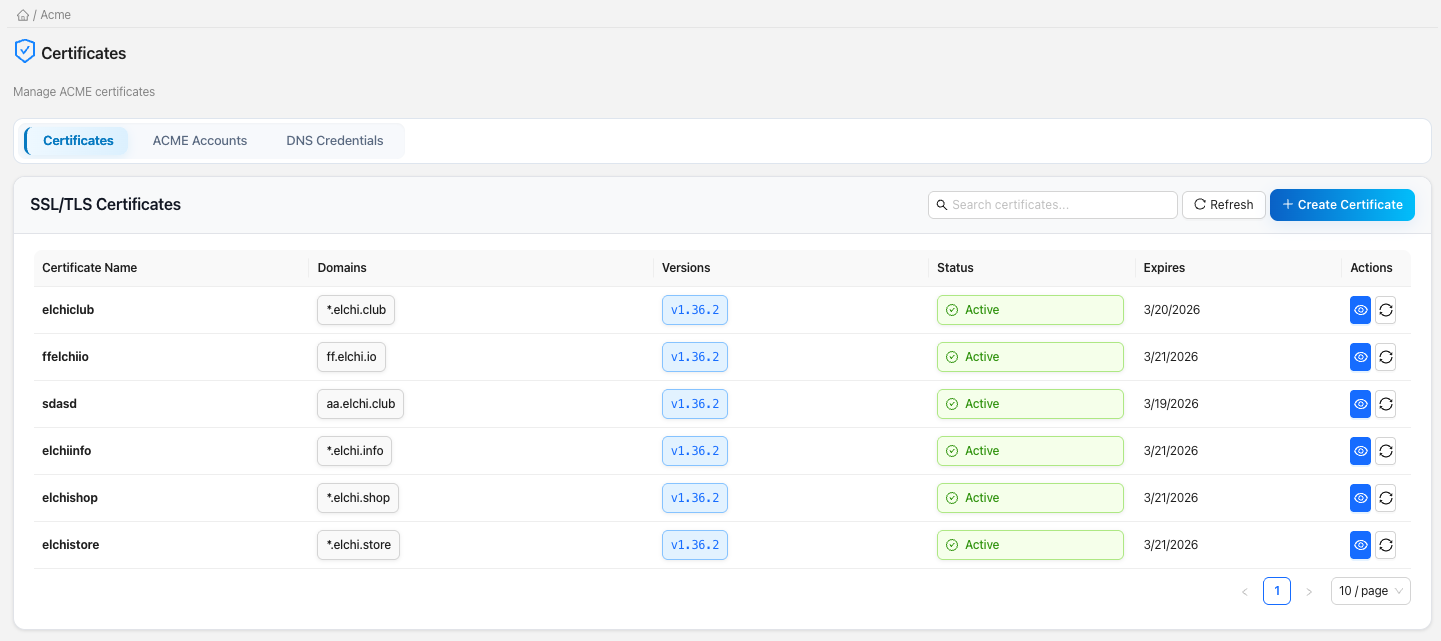
Elchi issues and renews TLS certificates automatically using the ACME protocol with DNS-01 challenges. You register an ACME account with a Certificate Authority (CA), store your DNS provider's API token once as a DNS credential, and Elchi handles the rest: creating the ACME order, publishing the _acme-challenge TXT records, waiting for propagation, completing validation, downloading the certificate, and storing it as an Envoy secret your listeners can use. A background scheduler renews certificates before they expire.
DNS-01 is the only challenge type Elchi uses. Unlike HTTP-01, it never needs inbound traffic to your listeners, and it can issue wildcard certificates (*.example.com) and certificates for internal names that are not reachable from the public internet.
The moving parts
ACME certificate management is built from four resource types. Each is scoped to a project and carries its own permissions.
| Resource | What it is | Managed under |
|---|---|---|
| CA provider | A Certificate Authority you can order from (Let's Encrypt, Google Trust Services, ZeroSSL, Buypass). Some require EAB credentials. Configured on the controller, not per-user. | CA providers & EAB |
| ACME account | Your registered identity with a CA, for a specific environment (staging or production). Many certificates share one account for rate-limit efficiency. | ACME Accounts tab |
| DNS credential | An encrypted provider API token (Cloudflare, Route 53, Google Cloud DNS, …) that authorizes Elchi to create the challenge TXT records. | DNS credentials |
| Certificate | The issued cert plus its metadata: domains, ACME account, DNS credential, status, expiry, and the Envoy secret versions it is written to. | Certificates tab |
In the UI these live together under Certificates (/acme), split across three tabs: Certificates, ACME Accounts, and DNS Credentials.
The issued certificate chain and private key are written into the secrets collection as a TLSCertificate, one entry per Envoy version the certificate targets (its secret_versions). Listeners consume it through a transport socket like any other secret. See Multi-version secrets, Secrets, and Transport sockets.
The DNS-01 workflow at a glance
Elchi supports two verification modes, chosen when you create the certificate.
Automatic (recommended — attach a DNS credential):
- You create a certificate and select a DNS credential.
- The certificate enters
pending_verificationand a background job starts. - The worker builds the ACME order, and the DNS provider is called to create the
_acme-challengeTXT records automatically. - Once the CA validates the records, Elchi downloads the certificate and stores it as an Envoy secret.
- The certificate becomes
active. The TXT records are cleaned up by the provider.
Manual (no DNS credential — you edit DNS yourself):
- You create a certificate without a DNS credential; it enters
pending_dns. - Elchi creates the ACME order and returns the exact TXT record name and value.
- You add those
_acme-challengeTXT records to your DNS zone. - You trigger Verify; Elchi asks the CA to validate and, on success, stores the certificate.
create ──▶ ACME order ──▶ _acme-challenge TXT ──▶ CA validates ──▶ download cert ──▶ store as Envoy secret ──▶ active
              (lego)         (auto or manual)                          (per version)
Automatic verification runs as a background job with a 5-minute budget. Manual DNS challenges give you up to 24 hours to add the records.
Auto-renewal
Every certificate is issued with auto_renew on. A renewal scheduler on the controller wakes up every 24 hours, and for each certificate whose renewal window has opened (14 days before expiry) it starts a renewal job using the certificate's stored DNS credential and ACME account. Certificates use Let's Encrypt-style 90-day validity, so the renewal window opens with roughly two weeks of runway. Expired certificates are marked expired automatically, and you can always trigger a renewal by hand.
Only certificates that use automatic DNS verification are auto-renewed — manual DNS certificates are skipped by the scheduler because they need a human to place the TXT records, so you must renew them manually. See Renewal & troubleshooting.
When and why to use it
Use ACME certificate management when you want:
- Hands-off TLS for public listeners — issue once, renew forever.
- Wildcard or internal certificates that HTTP-01 cannot produce.
- Certificates that track your Envoy versions — one certificate can back several Envoy versions at once, and renewals update every version together (see Versions & upgrades).
The controller needs outbound access to the CA's ACME directory (e.g. Let's Encrypt) and to your DNS provider's API. If either is blocked, orders and challenge publication fail. Note that Elchi strips external ACME URLs from certificate responses so that firewalls or WAFs which block CA domains do not interfere with the UI.