Metrics & Logs
The telemetry pipeline
Elchi emits several distinct signal classes, and each takes a different path to storage. Knowing which signal lands where saves a lot of dashboard-hunting.
- Envoy stats → an OTel Collector → VictoriaMetrics → Grafana (and the in-UI dashboards). The metrics backbone.
- Envoy access logs (ALS v3) → elchi-collector → ClickHouse (
api_events_raw, forensic) + MongoDB (api_inventory, the endpoint catalog). This is API Discovery — a traffic-derived inventory, not a metrics stream. - Shield metrics → scraped at
/metrics(elchi_shield_*), and also pushed over OTLP when--metrics-otlp-endpointis set. Shield security events + audit → ClickHouse. See Shield Observability. - Service logs → the in-UI log viewer, and optionally forwarded by the client agent to Syslog / Elastic-Logstash.
Signals → destinations
| Signal | Source | Transport | Lands in | Surfaced by |
|---|---|---|---|---|
| Envoy proxy stats | Edge Envoy | stats-sink → OTLP (4317/4318) | VictoriaMetrics (8428) | UI Metrics + Grafana (3000) |
| Envoy access logs | Edge Envoy | ALS v3 gRPC (18090) | ClickHouse api_events_raw + MongoDB api_inventory | API Discovery |
| Shield metrics | elchi-shield | /metrics scrape (9001) + optional OTLP push | Prometheus/VictoriaMetrics | Shield Observability |
| Shield security events / audit | elchi-shield | direct write | ClickHouse (audit table, TTL'd) | Shield UI / Audit |
| Collector metrics | elchi-collector | /metrics scrape (18091) | Prometheus/VictoriaMetrics | Grafana |
| Config-change audit | Controller | immutable trail | MongoDB | UI Audit + syslog forwarding |
| Service logs | All services | stdout / agent export | Log viewer, Syslog, Elastic | UI Observability → Logs |
The OTLP endpoints (4317/4318), VictoriaMetrics (8428), Grafana (3000), ClickHouse, and the collector ports are all catalogued in the Architecture connection table.
Metrics
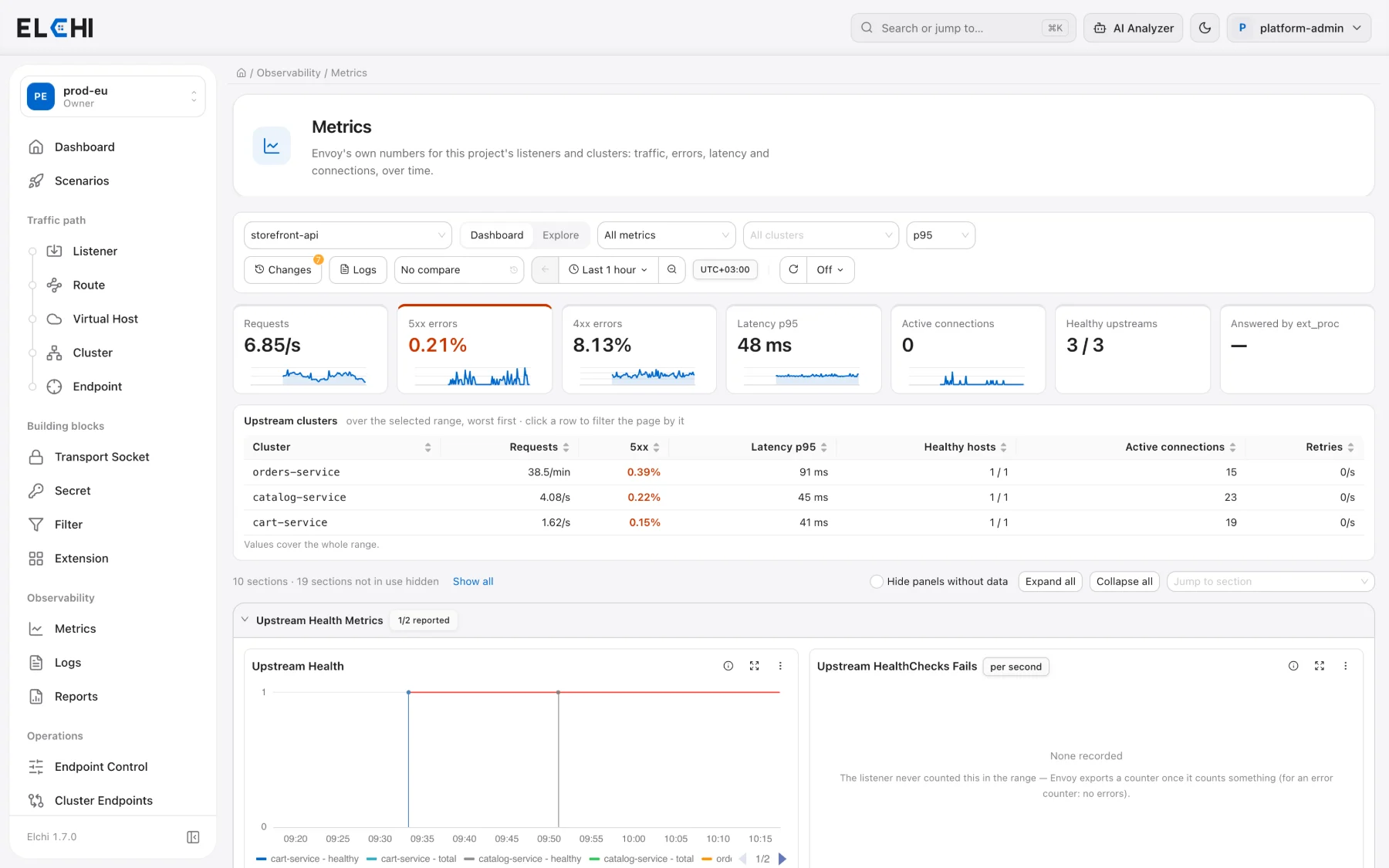
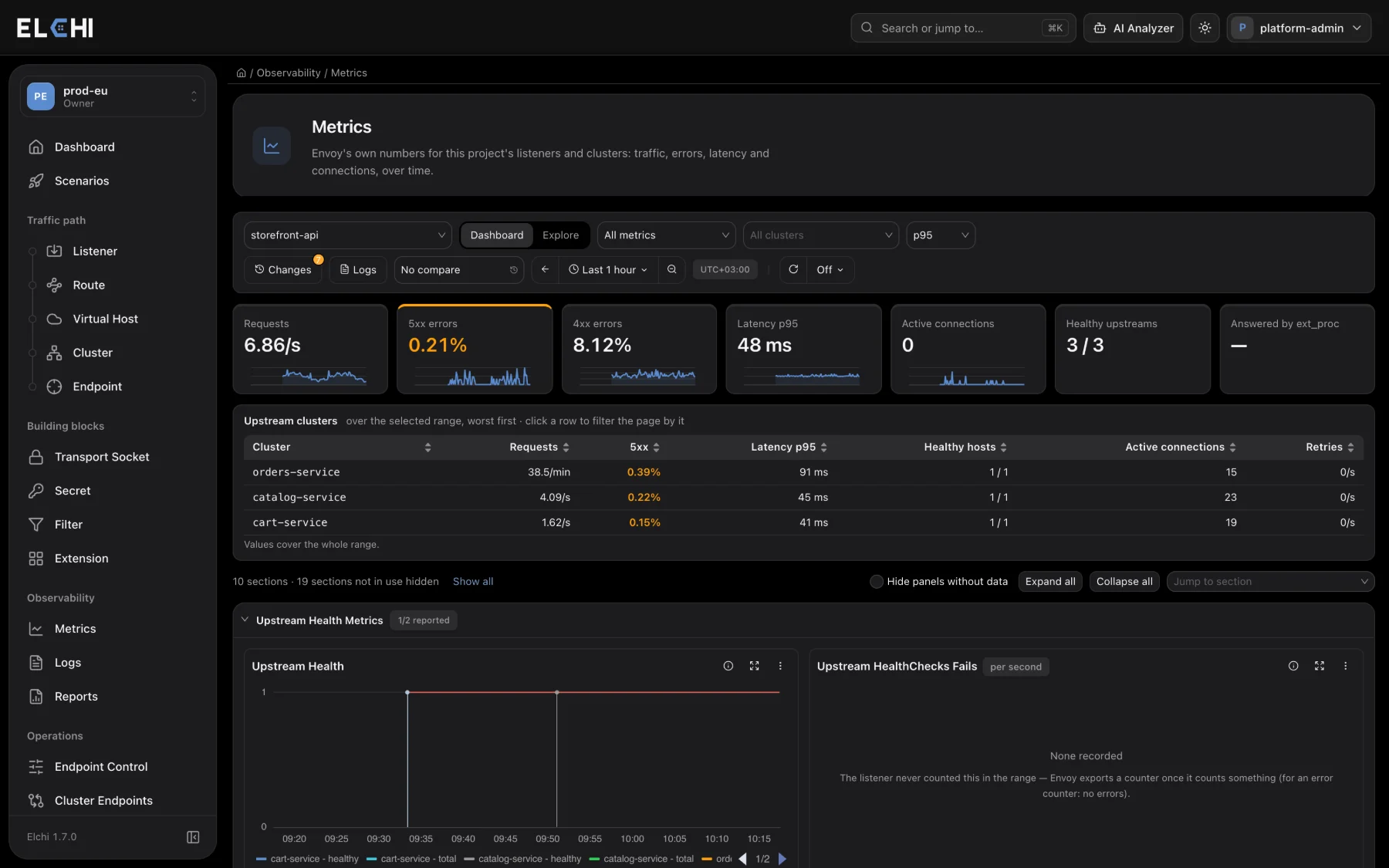
Observability → Metrics is a service dashboard for one listener. For deeper analysis, Elchi also integrates Grafana against the same VictoriaMetrics data.
| Area | What it does |
|---|---|
| Summary | Always on top for the selected range: request rate, 5xx and 4xx share, latency at the chosen percentile, open connections, healthy / total upstream hosts, Certificate expiry when the listener serves TLS (days until the first of its certificates expires; it turns to a warning under 14 days, when an ACME renewal is late, and to an alert under 7; it links to Certificates) and — when the listener runs Shield (or another ext_proc filter) — the share of requests it blocked (links to Shield → Events). Most stats have a sparkline (not Certificate expiry or the healthy-hosts stat); the 5xx and 4xx stats open those requests in Logs. With a comparison on, the stats also show their change against the earlier period (again except Certificate expiry and healthy hosts). |
| Upstream clusters | One row per upstream cluster over the range, worst first: request rate, 5xx share, latency at the chosen percentile, healthy / total hosts, open connections, retries. Click a row to filter the page by that cluster. A cluster that only carries a long-lived gRPC stream (such as Shield's ext_proc) has no request latency. |
| Changes | Deploys and other agent commands on the service, and published config changes of the resources the listener uses (from the audit trail), are drawn as vertical markers on every chart — purple for the service, orange for config — with what changed and who on hover. Changes lists them; clicking one zooms to the 15 minutes around it. Saved-only edits are not shown: they do not reach Envoy. |
| Distributions | Downstream Request Duration Distribution and Upstream Response Time Distribution are heatmaps: every request of a step placed in its duration bucket. Two bands mean two populations (blocked vs proxied requests, cache hits vs misses, one slow backend) that a single percentile line hides. |
| External processing | For Shield or any ext_proc filter: requests sent to the processor, requests it answered itself (for Shield, the blocks), that share, processor problems (failed streams, timeouts, fail-open) and messages exchanged. |
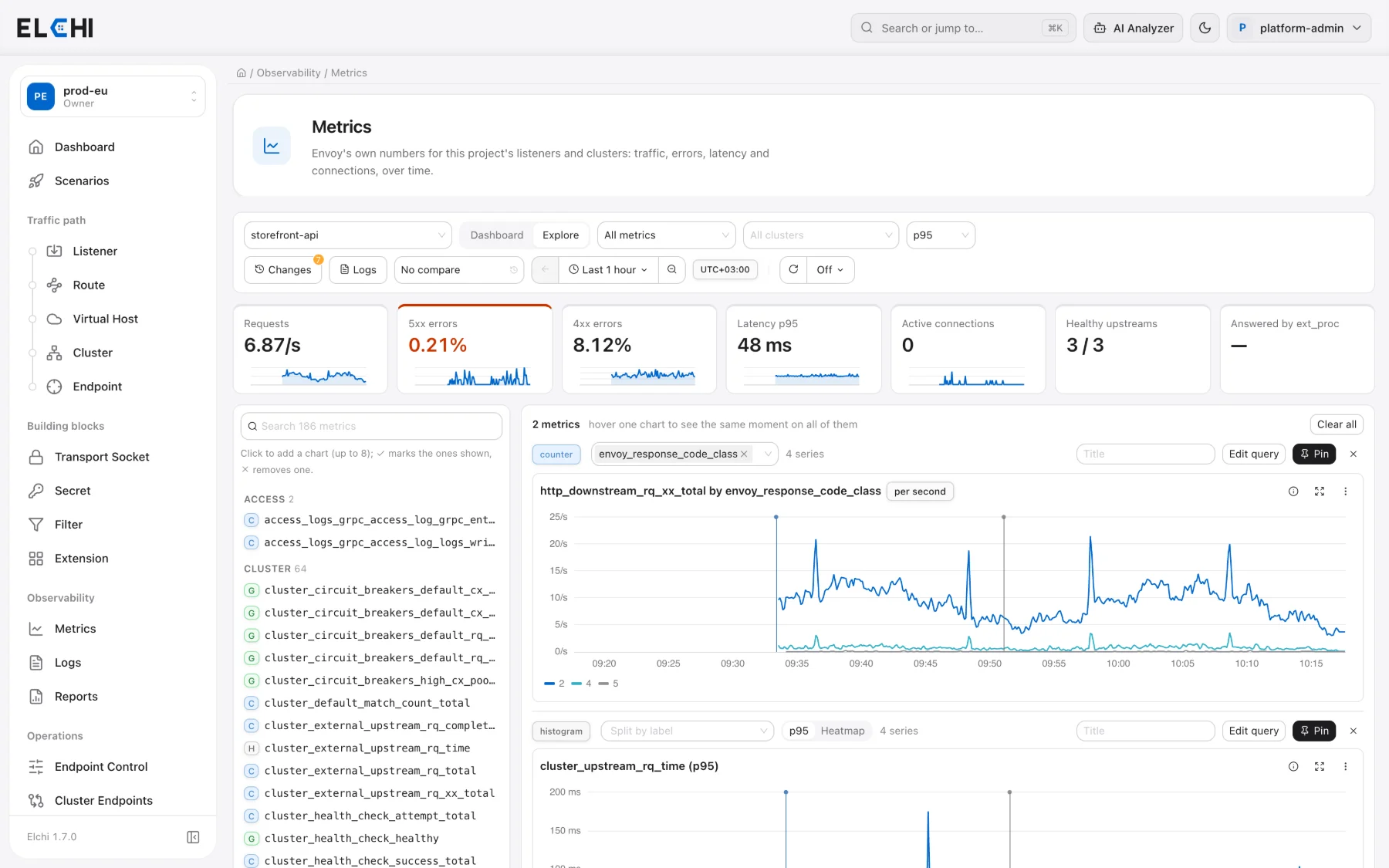
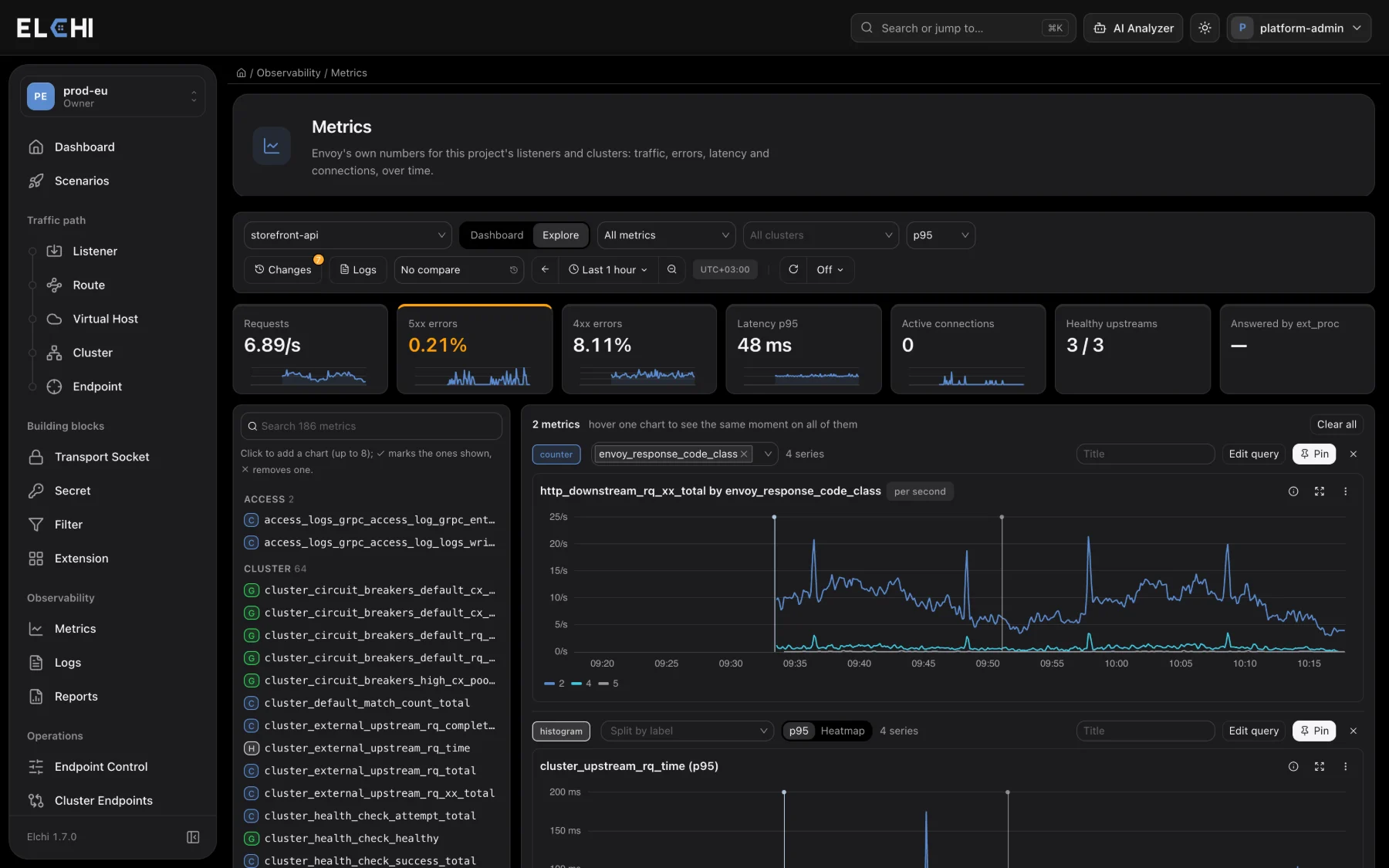
| Explore | Dashboard / Explore in the toolbar. Explore lists every stat the listener reports, grouped by family and marked counter, gauge or histogram; click one to add a chart — up to eight, one under another, sharing the time range, the crosshair (hover one, see the same moment on all) and the change markers so they can be compared; each is charted with the right math (a counter as a rate, a gauge summed / maxed / averaged, a histogram as a percentile or a heatmap), split by any of its labels. Edit query shows the MetricsQL and runs your own (as written — the page's filters are not added). Pin to dashboard keeps the chart in a Pinned section at the top of the dashboard (in this browser). |
| Data freshness | When a client stops sending metrics (agent, Envoy or the telemetry pipeline down), a banner names it and how long ago its last sample arrived, and the charts hatch the time without data — so a gap is not mistaken for zero traffic. For a past range it is judged against the end of the range. |
| Sections | Upstream health, downstream requests and connections, upstream requests and connections, listener, and one section per filter (RBAC, local rate limit, compressor …). A filter section is hidden while the listener reports none of its metrics (Show all lists them). Sections open or collapse, and the choice is remembered. |
| Toolbar | Service, metric group (all / errors / upstream clusters / filters), upstream cluster filter, client filter and Split by client (one line per agent, shown when the service runs on more than one client), percentile (p50 / p90 / p95 / p99, p95 by default), compare with 1 hour / 1 day / 1 week ago, time range (5 minutes … 7 days, or an absolute range) with Back and Zoom out (×2), auto refresh (5 s … 5 min), Logs for the same range. Times are in the browser's zone, shown next to the range. |
| Charts | Counters are plotted as a rate; slow traffic switches the unit to per minute or per hour (18/h rather than 0.005/s). Gauges are plotted as they are. Missing samples leave a gap. Hovering a chart shows the same moment on every chart (shared crosshair). A comparison draws the earlier period dashed in the same colour. Drag across a chart to zoom the whole page into that range. Each chart opens fullscreen and downloads as CSV or PNG; Copy query gives its MetricsQL. |
| Link | The service, range, group, clusters, percentile and refresh are in the page URL, so a view can be shared or bookmarked. |
Each section header shows how many of its panels have data (for example 6/9 with data), and Hide panels without data leaves only those. An empty chart says why: None recorded — Envoy exports a counter only once it has counted something, so an error counter that never fired has no series (no errors); Not reported — the listener does not report that metric (the feature is not in use); No data in this range — the metric exists but had no value in the range or for the filters. A failed query shows its error and a Retry in place.
Logs
The log viewer (Observability → Logs) searches a listener's Envoy and access logs on the proxy hosts by time range, with a histogram, field filters and exact paging — see Service Logs. To centralize logs, the client agent can export to Syslog or Elastic/Logstash. For triage, AI log analysis summarizes and explains log output when an OpenRouter token is configured.
Endpoint discovery
Under Discovery, connected Kubernetes clusters report their nodes (status, roles and node IPs), and endpoint resources linked to a cluster are kept filled with those node IPs on the port you choose, so Envoy always sees up-to-date upstreams. See Elchi Discovery to install the agent.
Video tutorials
Short, hands-on videos showing this feature working for real. English audio, English and Turkish subtitles. All video tutorials →