Resources & the Config Model
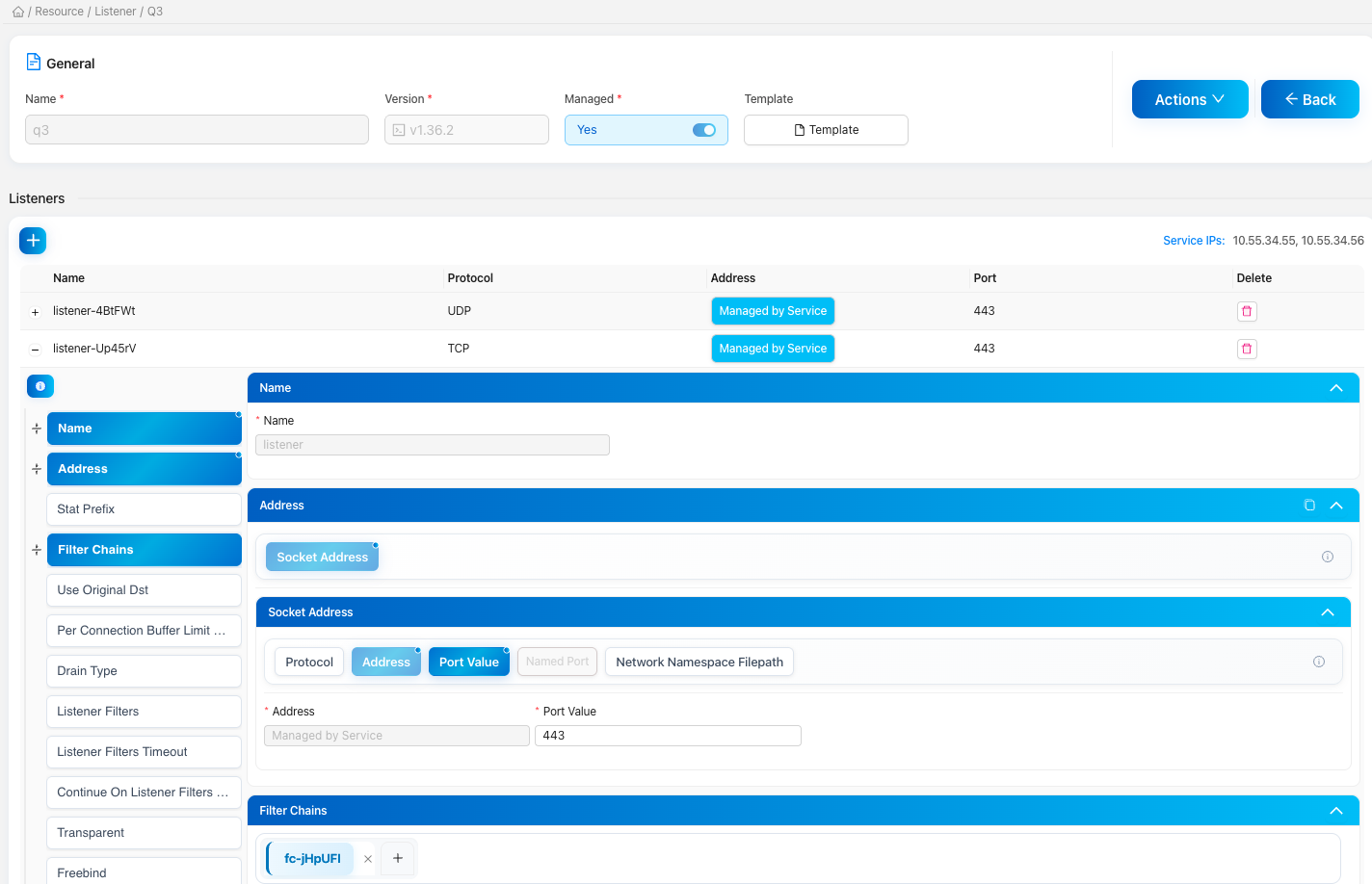
Everything Elchi pushes to Envoy is modeled as a resource. The UI generates a typed form for every resource directly from Envoy's protobuf definitions, so new Envoy fields appear in the editor without any manual UI work.
Resource types
| Resource | xDS | Description |
|---|---|---|
| Listeners | LDS | Entry points. Bind addresses, filter chains, TLS termination, and the HTTP/TCP filter pipeline. |
| Clusters | CDS | Upstream pools. Load-balancing policy, health checks, circuit breakers, transport sockets. |
| Routes | RDS | Route configurations and virtual hosts. Match rules, rewrites, retries, timeouts. |
| Endpoints | EDS | Concrete upstream addresses. Managed manually or synced live by Endpoint Discovery. |
| Secrets & TLS | SDS | Certificates, keys, and validation contexts. Issued automatically through ACME or uploaded. |
| Bootstrap | Boot | The static config each Envoy starts with — node ID, admin, and the xDS connection back to Elchi. |
At a glance — how the resources reference each other, from the listener down to endpoints and secrets:
Filters & Extensions
HTTP, network, listener, and UDP filters are managed under Filters, and reusable custom configurations live under Extensions. Both are versioned per Envoy release and validated against the matching proto schema.
Two-step validation
Every change is checked twice before it can ship:
- Frontend — TypeScript types generated from the proto catch shape and type errors as you edit.
- Backend —
protoc-gen-validaterules run on the controller before the resource is persisted.
Save & Publish
Edits are kept as drafts so you can stage several changes safely, then publish them together. The controller validates the bundle, persists it to MongoDB, and pushes a new snapshot to the control-plane — Envoy applies it without a restart.
Open Snapshot dump for any listener to see the exact xDS payload streamed to connected proxies — the fastest way to confirm a publish landed.
Understanding relationships
- Dependency graph — a Cytoscape view of how a resource links to clusters, routes, secrets, and filters. Use it to spot orphaned or broken references.
- Route map — a topology view of how requests flow through a listener's routes to upstreams.
- Global search — find any hostname, resource, or value across the project from one search box.
- Templates & Snippets — save reusable resource templates and config snippets to standardize new setups.